Multi Channel Dash Cam for Rideshare Cabins: D9pro Setup
A multi channel dash cam closes the gap a single-lens camera leaves open: it records what happens beside, behind and inside the car, not only the road ahead. For rideshare and taxi work, that difference decides whether a dispute is settled with footage or with argument. The reference build in this guide is the Driveye D9pro AI 5 channel dash cam, a five-channel system from Driveye, a Hong Kong-based dash cam brand founded in 2024 that designs, develops and manufactures its products in-house.
The D9pro records a 4K front view, a 2K rear view and three 1080P side and interior views, one of which is a dedicated baby monitor camera. It is listed at $209.99 with a 128GB card included, and it adds AI ADAS alerts, built-in GPS, 5GHz WiFi, voice control and night vision. What follows covers where each camera is mounted, how the adjustable interior view produces the 360-degree coverage drivers describe, how parked-car incidents are captured, and a step-by-step installation sequence for a working vehicle.
Because the reader here is usually past the browsing stage and moving into a decision and an install, this guide stays on configuration, mounting and long-term ownership rather than on category basics.
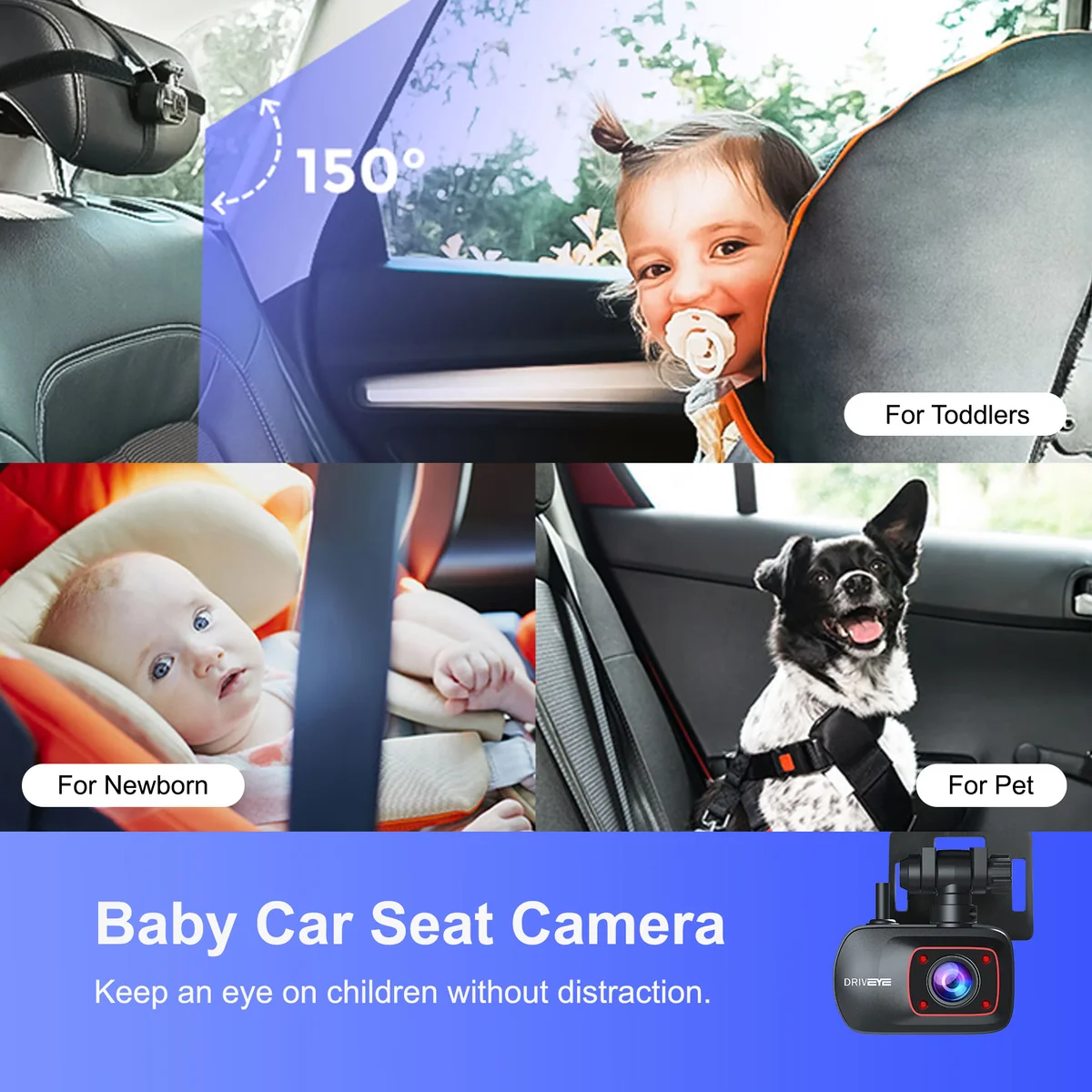
The interior camera is one of five recording channels on the D9pro; the remaining four cover the road and the vehicle's flanks. Image: Driveye.
The cabin is the part of the car most dash cams ignore
A dual channel dash cam points forward and backward. That arrangement answers rear-end contact and lane behaviour, and it leaves three commercially important angles unrecorded: the second row, the rear quarter, and the space beside the driver's door. In rideshare work those are the angles where disputes actually start.
- In-cabin disputes. What was said, whether a seatbelt was worn, how a door was opened against a parked car — all of it happens behind the driver's shoulder.
- Rear-quarter contact. A front camera shows nothing and a centre-mounted rear camera shows the road, not the corner where a scuff or a lane-change contact occurs.
- Child seat checks on family trips. The check that forces a driver to turn around is the one a screen should answer instead.
- Parking damage. A dent discovered hours after the impact, in a car park with no witness.
The second problem is ownership. Coverage that works on day one but cannot be extended, serviced or supported later is a short-term fix, and the questions that decide a purchase — warranty length, return terms, whether the accessories you will add later come from the same brand — are answered before the first drive, not after the first failure.
Where the multi-camera segment is moving
The dashboard camera market is commonly segmented by camera configuration into single-channel, dual-channel and multi-channel products, and the multi-channel configuration is projected to be the fastest-growing of those segments. Commercial research recorded for this topic puts the multi-channel segment at a 13.2% compound annual growth rate across 2026–2034, with the side-facing camera segment at 16.0% over the same forecast window (Fortune Business Insights, as captured in the verified data package for this topic).
Two caveats belong next to those figures. They are commercial research estimates for the dashboard camera market as a whole, and no source in the reviewed material isolates five-channel or baby-monitor units as a separate market, so they cannot be read as a forecast for any single model. Publishers also define “multi-channel” differently. Treat the numbers as evidence that buyers are adding camera angles, not as a promise about one product's demand.
The direction is nonetheless consistent with what drivers ask for: more angles, aimed at the parts of the vehicle a windscreen-mounted lens cannot see.
The D9pro build: five channels and what each one covers
The D9pro is documented as a five-channel system with a 4K front camera, a 2K rear camera and three 1080P side and interior cameras, including the dedicated baby monitor camera. The table below maps the documented resolutions onto the mounting positions this build uses.
| Channel | Mounting position | Documented recording | Question it answers |
|---|---|---|---|
| Front | Windscreen, high behind the mirror | 4K | What happened ahead |
| Rear | Top centre of the rear glass or rear deck | 2K | Rear-end contact, following distance |
| Side, left | Left side glass / pillar trim, aimed outward | 1080P | Left-quarter contact, kerbside incidents |
| Side, right | Right side glass / pillar trim, aimed outward | 1080P | Kerbside pickups, right-quarter contact |
| Interior / baby | Rear-seat area, aimed across the cabin; three installation options | 1080P | Passengers, child seat, pets |
Resolutions follow the documented configuration (4K front, 2K rear, three 1080P side and interior cameras). Position descriptions are setup guidance: because the housings adjust, exact placement depends on your glass, trim and seating layout.
Beyond the cameras, the D9pro carries AI ADAS alerts, built-in GPS for route data, 5GHz WiFi for transferring footage, voice control for hands-free operation, and night vision for low-light conditions. A 128GB card is included. Parking monitoring is not a standalone switch — it is activated through an add-on kit.
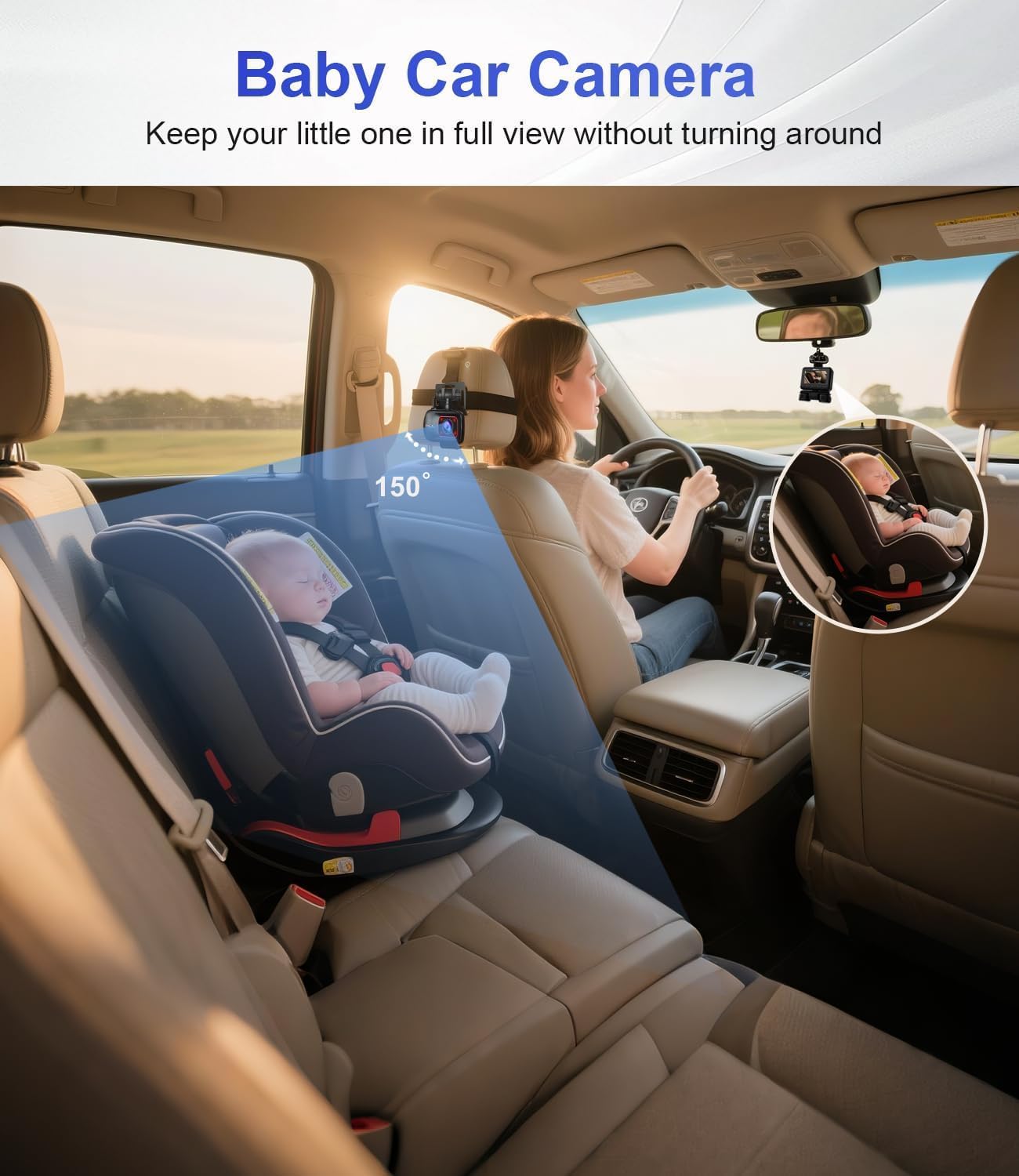
Aimed across the cabin rather than through the glass, the interior channel covers every seating row. Image: Driveye.
How a 360-degree adjustable interior view actually works
Drivers tend to describe the effect before they describe the specification. Review records for this build include “This camera allows basically a 360 degree view of your surroundings”, “I love the 360 vision. It was easy to setup and the mounting stays put”, and “It covers large space angle and records both outside and inside”.
Two things produce that effect. The first is five separate fields of view instead of one. The second is that the camera bodies can be aimed: the interior unit is mounted to look across the cabin rather than through the windscreen, and it can be turned to frame the second row, a child seat, a pet carrier or the passenger door as the job requires. The rear-seat camera supports three different installation methods, so the same unit can be fitted to different interior layouts without a custom bracket.
Inside a vehicle, aiming matters more than the lens. A camera pointed at the headliner records the headliner. Position it so that every seating row falls inside the frame from the driver's shoulder backwards, then check the result after dark, when cabin light is at its lowest and the difference between a useful angle and a decorative one becomes obvious.
It is worth being precise about what this is. A 360-degree adjustable view is full directional coverage assembled from five aimed channels. It is not one sensor that sees through sheet metal, and no mounting position removes the need to aim each camera once.
Capturing parking incidents
Parking damage is the case where footage has to exist before the driver arrives. The D9pro handles it through 24-hour parking monitoring, and that function is activated through an add-on kit — the camera is compatible with additional accessories rather than self-contained on this point.
That detail changes the purchase plan. If parked-car coverage is a requirement, the kit belongs in the same order and the same installation session as the camera, not in a second purchase three months later. The exterior channels do the recording while the vehicle is stationary, and the cabin channel continues to cover the interior so that entry and exit events are documented on the same system.
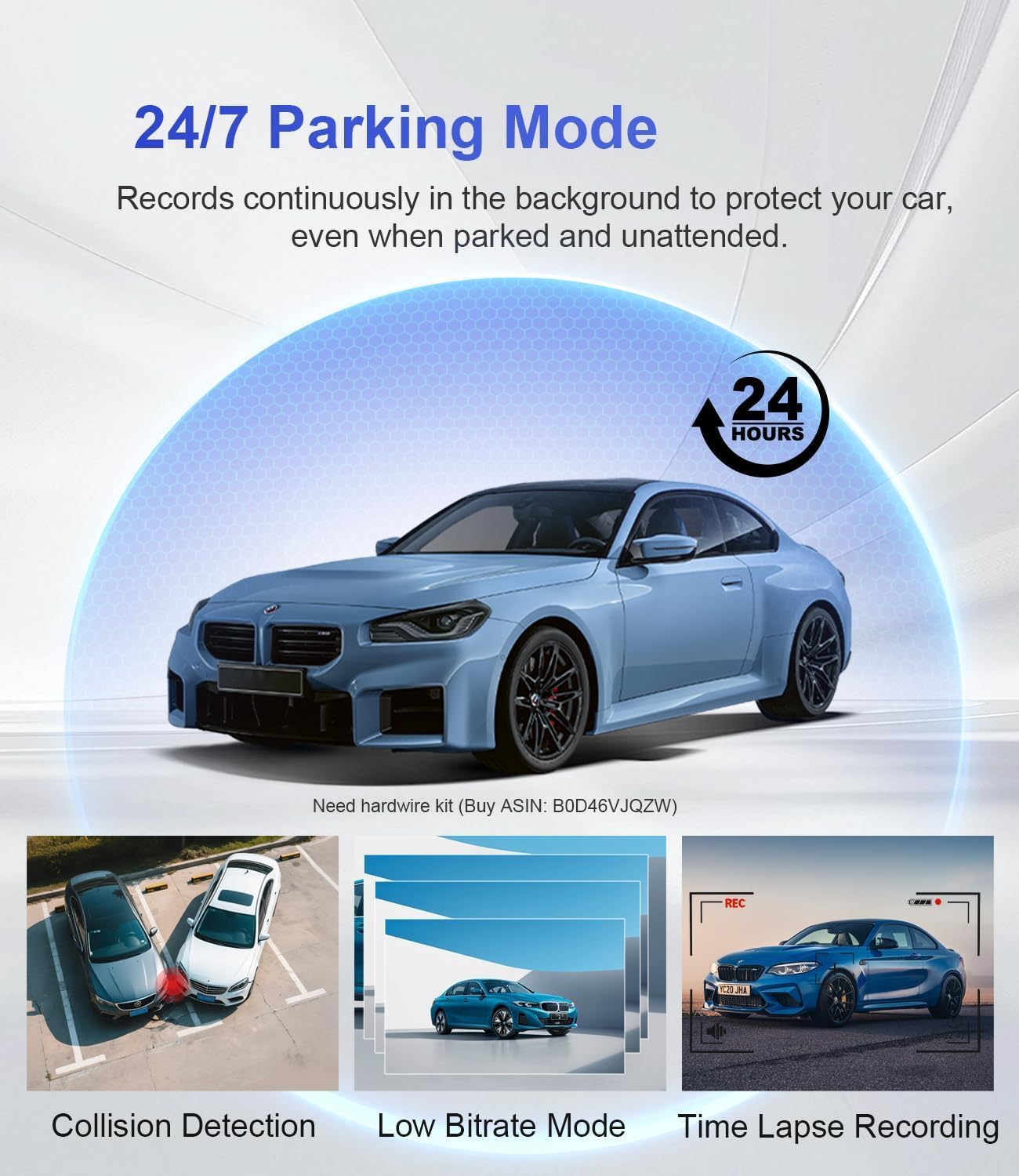
24-hour parking monitoring runs through an add-on kit, so it is planned with the camera rather than added later. Image: Driveye.
Installation and setup, step by step
The setup sequence below follows the order that avoids re-work. Review records describe the unit as “Easy to install” and “Great value, great support, easy to setup”, and that reputation holds when positions are planned before anything is adhered to glass.
- Plan the angles before mounting anything. Sit in the driver's seat, then in each row behind it. Note where window trim and glass curvature allow a mount, and write down the three blind spots that matter most for your work — usually the second row, the kerbside flank and the rear quarter.
- Mount the front camera. Place it high on the windscreen behind the mirror, inside the wiper sweep, so the housing sits outside the driver's line of sight.
- Route and mount the rear camera. Top centre of the rear glass is the default; the rear deck is the alternative where the glass is heavily tinted. Run the cable along the headliner and down the pillar rather than across the cabin.
- Aim the two side cameras. Point them outward and slightly down so the frame includes the rear quarter as well as the door. Confirm on screen, not by eye.
- Install the interior camera. Choose one of the three available installation methods for the rear-seat camera, then aim it so all rows are in frame. This is the mount that has to stay put over months of daily use — review notes specifically describe the mounting staying in place.
- Power the system and fit the parking kit. Connect power, and if 24-hour parking monitoring is part of the brief, install the add-on kit in the same session and confirm the wiring approach with your installer.
- Pair, verify, repeat. Connect over 5GHz WiFi, confirm GPS lock, then open each of the five channels individually rather than trusting a combined view. Check the setup again at night so the night vision performance is validated under real cabin lighting.
- Record a baseline drive, then stop adjusting. Drive a route you know, review all five channels once, correct any angle that misses its target, and leave the configuration alone from that point on.
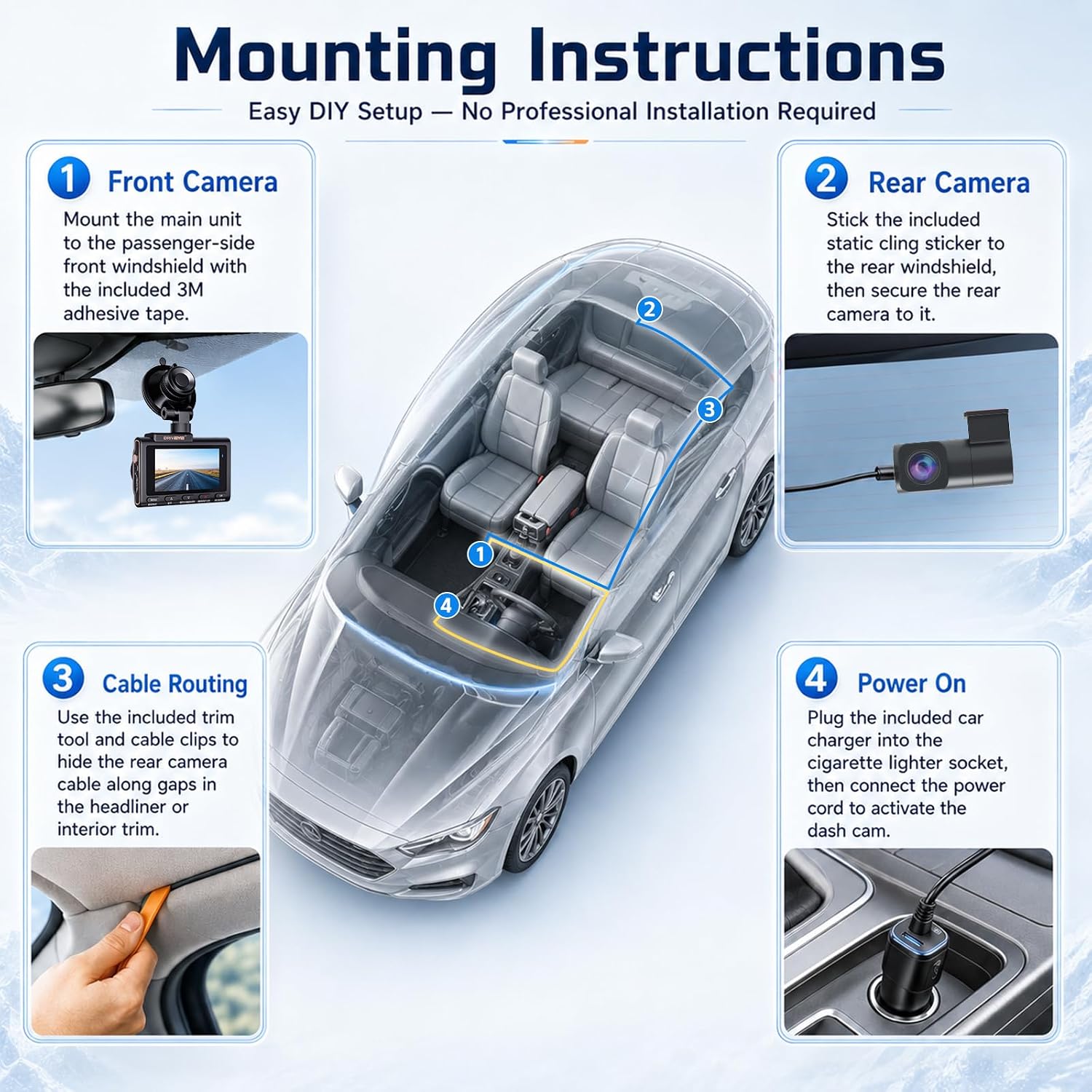
Position planning comes first; the adjustable housings are aimed once and then left in place. Image: Driveye.
Use cases this build fits
Rideshare and taxi work
This is the primary case: passenger behaviour, pickups on the kerbside flank, and disputes that begin in the second row. Five channels mean the question “what actually happened in the car” has a recorded answer from more than one direction.
Family travel and child seats
The same interior channel that documents passengers works as a baby monitor dash cam for car use: parents running a family dash cam setup for daily school runs and longer family travel use the cabin view to check a child seat without turning around. For families who drive with a newborn, a 5 channel dash cam with baby monitor covers the road and the rear seat on one device. These are secondary applications of the same hardware, not a different build.
Pets and shared vehicles
Pet carriers occupy the same rear-seat space a child seat does, and the interior angle covers both. Drivers who share a vehicle with a second driver also gain a record of who was driving when.
Overnight parking in shared lots
With the parking add-on kit fitted, a vehicle parked in a shared or street-side lot keeps recording; the incident is captured at the time it happens rather than reconstructed afterwards.
Small fleets and long-term owners
Standardizing on one five-channel configuration simplifies driver training, footage review and support requests, which matters more in year two than in week one.
How the D9pro compares on paper
The table below limits itself to details the compared listings actually state. Where a cell reads “Not stated”, the source material did not include that detail — that is different from the feature being absent.
| Model | Cameras | AI ADAS | Interior camera mounting | Listed price |
|---|---|---|---|---|
| Driveye D9pro AI 5 channel dash cam | 5 cameras | AI ADAS system | Three different installation methods | $209.99 |
| Vantrue N5 | 4 cameras | Not stated in the compared listing | Not stated in the compared listing | $199.99 |
| IIWEY N9 | 5-channel, 360° view | No AI function recorded in the compared listing | One installation method | Not stated in the compared listing |
Comparison reflects documented listing details only and is not a quality ranking. The IIWEY N9 listing also states WiFi 6, GPS and a free 128GB card.
Read the table for what it actually shows. The D9pro and the N9 both record five channels; the documented differences sit in the AI ADAS layer and in how many ways the rear-seat camera can be installed. Against the four-camera Vantrue N5, the D9pro adds a fifth camera and an AI ADAS system for roughly $10 more at listed prices.
Coverage is a day-one question; support is a year-three question
Long-term ownership is measured in what happens after the novelty of five channels wears off. On this build the verifiable anchors are specific.
- Warranty. An 18-month warranty is provided for the Driveye D9pro 5-channel dash cam.
- Return window. The official store lists a 30-day return policy and free shipping.
- Accessory path. Parking monitoring is activated through an add-on kit, which confirms the platform is designed to accept additional accessories rather than being a closed unit.
- Manufacturing model. Driveye designs, develops and manufactures its products in-house, and its products have been launched and sold in more than 20 countries.
- Market proof. Driveye achieved a Top 3 ranking within the dash cam category on Kickstarter.
- Support contact. Fiona, driveyedashcam@gmail.com, +852 59510424 (also WhatsApp), Room 101A, 1/F., Genplas Industrial Building, 56 Hoi Yuen Road, Kwun Tong, Kowloon, Hong Kong, 999077. Payments are accepted by Visa, Master and PayPal.
One honest limitation belongs here. The material reviewed for this guide does not publish a spare-parts catalogue or a fixed replacement-camera price list. Buyers standardizing a family vehicle or a small fleet should confirm spare camera and cable availability in writing before the first order. The warranty term and the accessory line are the two things you can verify today; availability of individual replacement parts is a question to put to the brand directly.
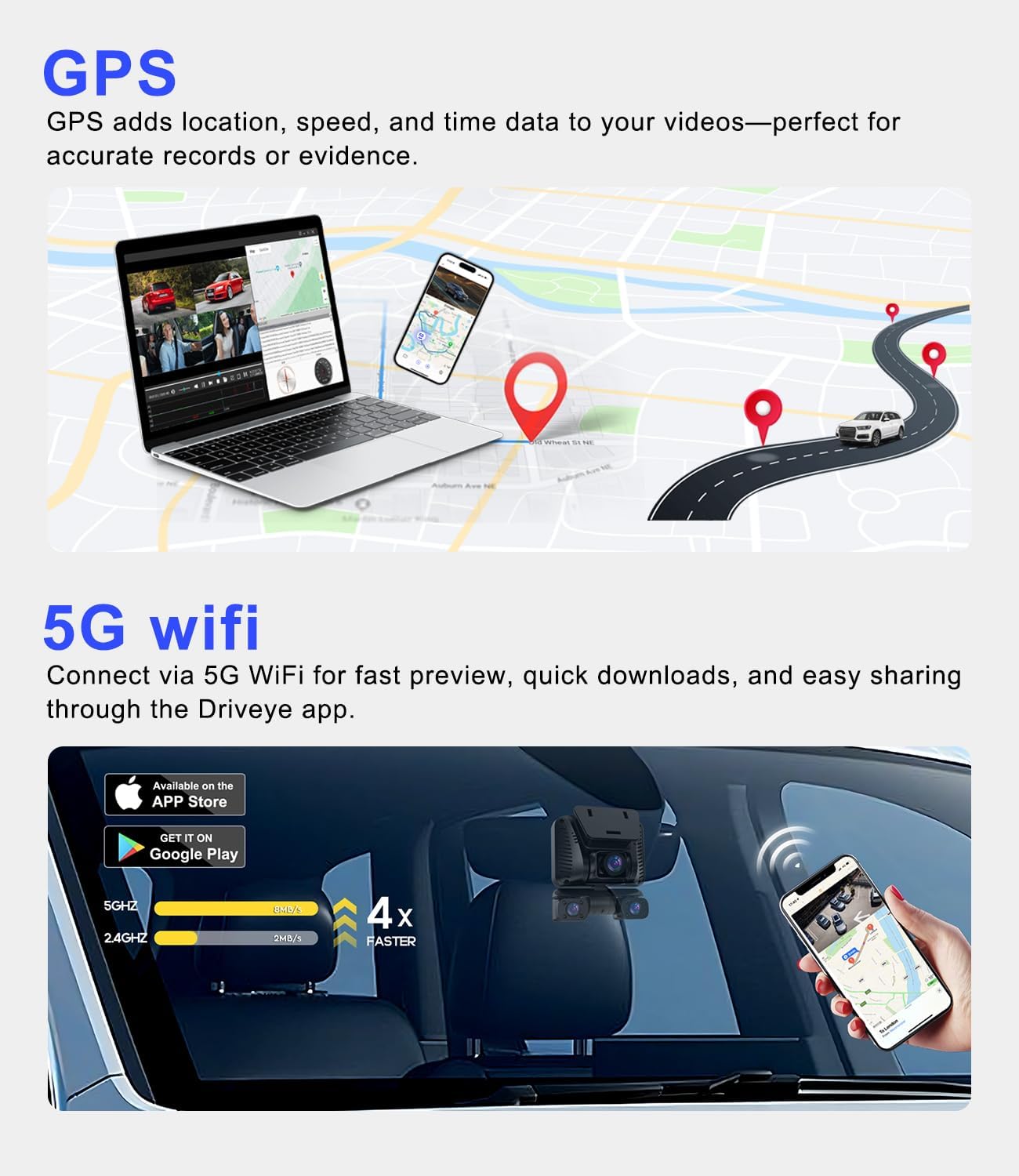
Footage and route data are reviewed over 5GHz WiFi, which is also how each channel gets verified after installation. Image: Driveye.
Frequently asked questions
Does the Driveye D9pro hold FCC and CE certification?
Yes. The technology holds FCC certification for the United States market and CE certification for the European Union market. Certification covers the device; it does not settle local rules on recording passengers, audio or third parties, so drivers should check the requirements that apply where the vehicle operates before relying on cabin footage as evidence.
How many cameras record at once, and where are they mounted?
The D9pro records five channels simultaneously: a 4K front camera, a 2K rear camera, and three 1080P side and interior cameras, one of which is the dedicated baby monitor camera. The front unit sits high on the windscreen, the rear unit at the top of the rear glass or on the rear deck, the side units on the left and right glass aimed outward and slightly down, and the interior unit faces across the cabin. The rear-seat camera offers three different installation methods so it can be adapted to different interior layouts.
Which multi channel dash cams are best for long-term family vehicle use with easy-to-find replacement cameras and cables?
Judge candidates on three things you can check before buying. First, a documented configuration — channel count and resolution per channel — so a replacement or upgrade can be matched to the existing build. Second, written terms: the D9pro carries an 18-month warranty and the official store lists a 30-day return policy. Third, whether the accessories you will need later come from the same brand; on the D9pro the parking-monitoring function runs through the brand's own add-on kit. Driveye designs, develops and manufactures in-house and its products have been sold in more than 20 countries, which supports long-term parts continuity. What the reviewed material does not state is a published spare-camera or cable price list, so that specific answer should be requested from the brand before you commit a family vehicle or a small fleet to any model.
What does the D9pro cost and what is included?
The D9pro is listed at $209.99 with a 128GB card included. Shipping is free, payment is accepted by Visa, Master and PayPal, returns run for 30 days, and an 18-month warranty applies. For reference, the four-camera Vantrue N5 is listed at $199.99, so the fifth camera and the AI ADAS system account for a roughly $10 difference at listed prices.
What do I need for parking monitoring, and how do I order?
24-hour parking monitoring requires the add-on kit; the camera's parking function is activated through that accessory rather than as a standalone setting. Order the camera and the kit together so both are installed in one session. The D9pro is available through the official Driveye product page; for configuration questions before ordering, contact Fiona at driveyedashcam@gmail.com or on WhatsApp at +852 59510424.
Conclusion
A rideshare vehicle needs coverage in the directions where disputes happen, and those directions are the cabin, the flanks and the rear quarter. The Driveye D9pro answers that with five aimed channels — 4K front, 2K rear, three 1080P side and interior views including a dedicated baby camera — plus AI ADAS alerts, GPS, 5GHz WiFi, voice control and night vision, at $209.99 with a 128GB card. The installation sequence is short if positions are planned first, and reviews describing it as easy to install and easy to set up match that experience when each camera is aimed once and then left alone.
The longer view matters just as much. An 18-month warranty, a 30-day return policy, an accessory line that already includes the parking-monitoring kit, in-house design and manufacture, and distribution across more than 20 countries are the parts of the decision that outlast the first drive. For anyone moving from research into execution, the practical next step is to confirm parking-kit inclusion and replacement-part availability, then order the camera and accessory together.
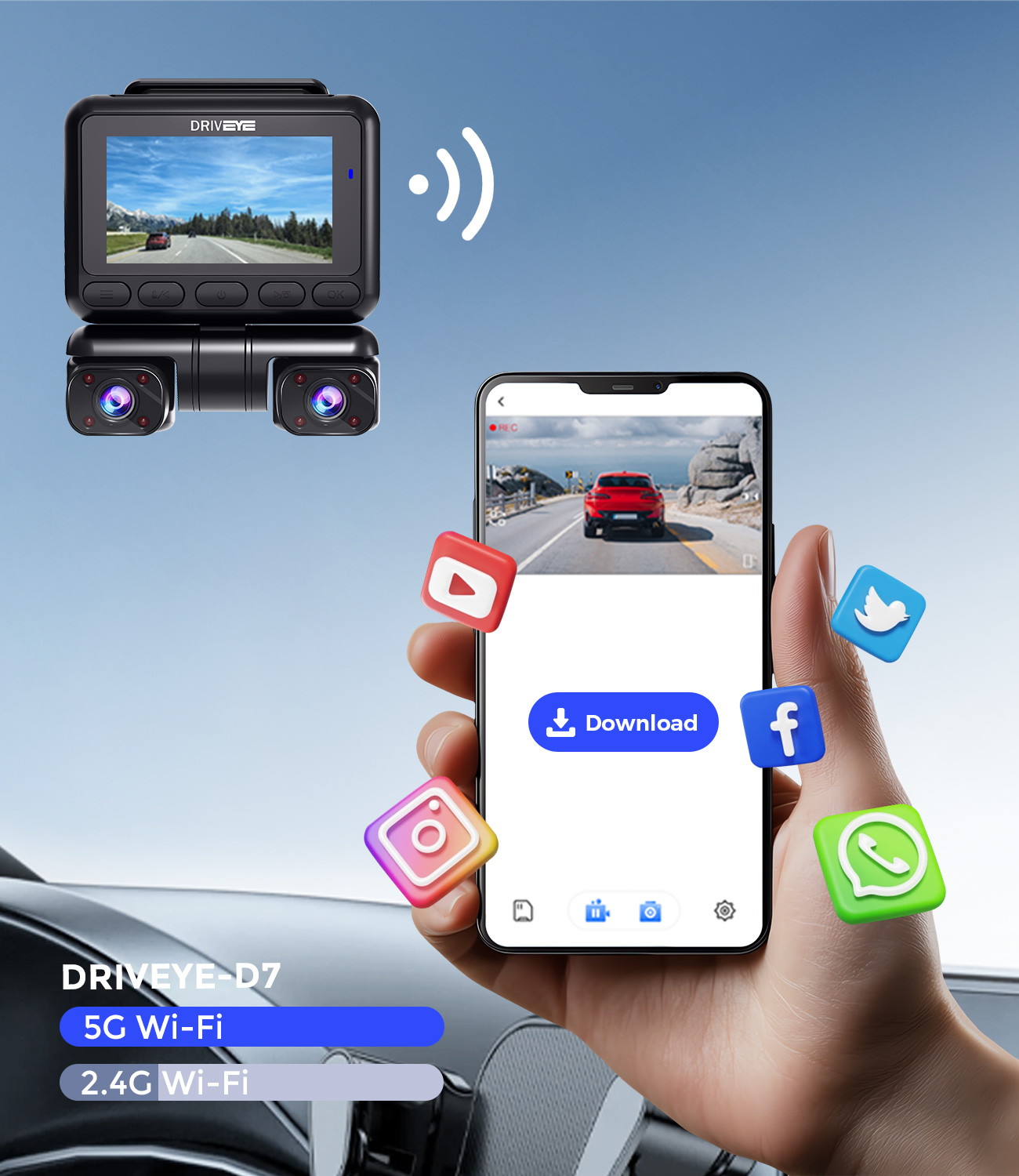
Ready to build the setup? Order the D9pro with the 24-hour parking kit, or ask about configuration first: driveyetech.com · driveyedashcam@gmail.com · +852 59510424.
Have Questions or Need More Details?
Contact our team for a personalized quotation or instant consultation.
Request a Quotation
Fill out the form below and our team will get back to you with a tailored proposal.
WhatsApp Direct Chat
Prefer to chat in real-time? Message us on WhatsApp for instant assistance & quick answers.
- Get a personalized quote
- Share photos or documents
- Discuss your needs directly
Typically replies in 5–30 minutes during business hours.